
1 min read
Full-text search in Helix
I taught myself vim many years ago. If I remember correctly I played a game that teaches you the keymap like h, j, k, l for navigation. Then I installed a ton of plugins that turned vim into an IDE and for the same reason never used it again. Instead of managing plugins and syncing buffers I ended up using Helix.
The most important feature to me is “full-text search”. I need to comb through directories with thousands of files and search with various patterns. Modern IDEs support this out-of-the-box. But with vim I had to do some kind of fzf integration and install plugins. And this is probably the reason I am stuck with Helix. No plugins required and a powerful search right away. Here is what it looks like:
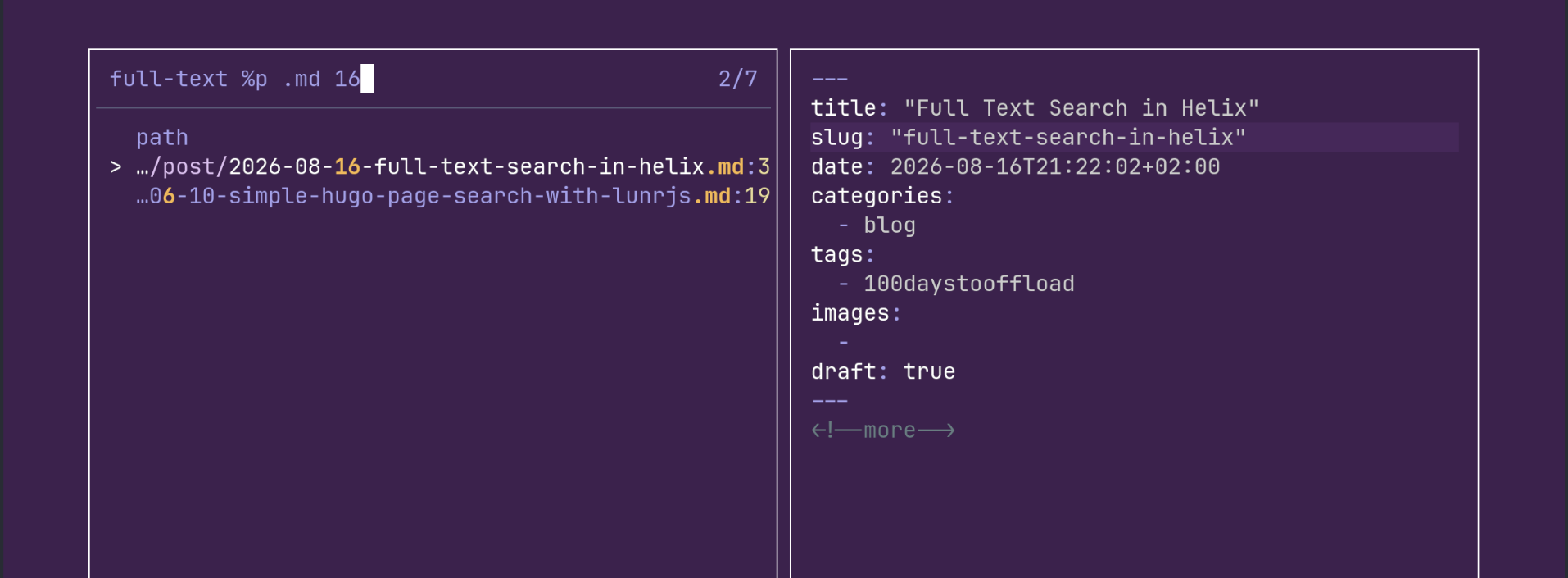
In Helix you press space+/ and the search dialog opens. Helix calls these dialogs pickers. You can then enter you search pattern (in fzf syntax) and/or use filters like %p path to further refine the search results. With tab you cycle through the results and hit enter to open the file.
Tags: 100daystooffload , helix , search , full-text , vim , emacs
Edit Page / Show Statistic