
3 min read
Remark42 Authenticate with Codeberg
At then end of each post you can leave a comment. This comment section is powered by Remark42. A highly recommended comment engine. But be aware, there is no SaaS and you have to host it yourself (maybe that is way it is so good). For quite some time the only option to authenticate on my site was using GitHub. As a proud member for Codeberg this had to change.
Before we start I wanna thank my brother. I already made the integration and so it was easier for me to do this as well.
Setup Codeberg OAuth2
First we create the OAuth2 application in Coderberg. Open https://codeberg.org/user/settings/applications and log in. Underneath Manage OAuth2 applications enter Remark42 as name, <url-of-your-remark42-instance>/auth/codeberg/callback as Redirect URI and click Create application.
In the new dialog copy the Client ID and the Client Secret. We will need this in the second step.
Deploy Remark42
The PR that supports authentication with OAuth provider was merged only recently: https://github.com/umputun/remark42/pull/2006
The documentation shows the new environment variables that need to be configured: https://remark42.com/docs/configuration/authorization/#custom-oauth2-provider
I am deploying Remark42 using this https://ansible.build/roles/remark42/ Ansible role. Adding support for new env vars is fairly simple for Ansible roles. You only need to map the env vars to Ansible vars.
I updated the role and in my Ansible inventory I made this configuration:
remark42_image: umputun/remark42:v1.16.4
remark42_auth_custom_name: codeberg
remark42_auth_custom_cid: "<client id goes here>"
remark42_auth_custom_auth_url: https://codeberg.org/login/oauth/authorize
remark42_auth_custom_token_url: https://codeberg.org/login/oauth/access_token
remark42_auth_custom_info_url: https://codeberg.org/login/oauth/userinfo
remark42_auth_custom_scopes: read:user
The Client Secret was encrypted with Ansible vault and stored as vault_remark42_auth_custom_csec.
After deploying the container with Ansible I checked the log:
2026/08/12 12:31:24.692 [INFO]  init oauth2 service github
2026/08/12 12:31:24.693 [INFO]  init oauth2 service codeberg
Everthing looked fine.
Testing
After the deployment I opened my site in private tab and clicked Sign In on a random post:
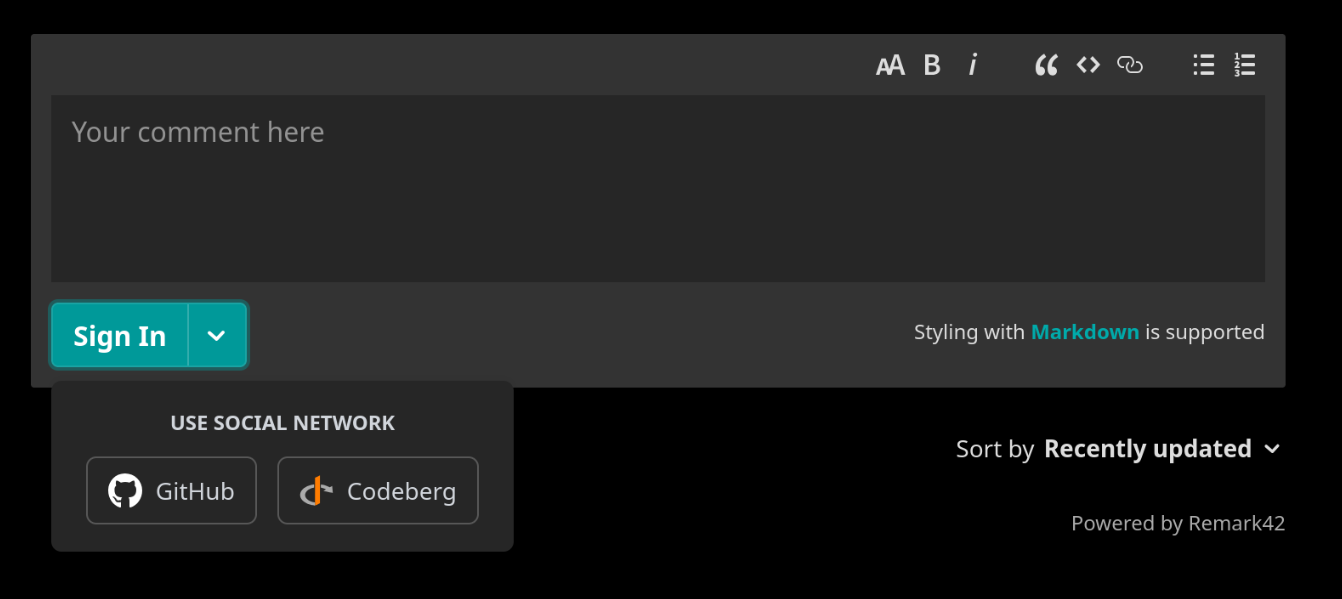
Then I clicked on Codeberg and was redirected. After login I got this error:
Authorization failed
Unregistered Redirect URI
I double checked the redirect uri, but it was definitely correct. I took me a while to figure this out. Basically I messed up the client id and secret and then I forgot to remove the placeholder in the host inventory:
remark42_auth_custom_csec: # default: "{{ vault_remark42_auth_custom_csec }}"
Once fixed this I got greeted by this message:
Authorize “Remark42” to access your account?
Clicked Accept and was redirected and welcomed by a new error message:
{"error":"exchange failed"}
In Ansible I quoted the AUTH_CUSTOM_CSEC env var. This was a mistake. After removing the quotes it worked! Yay!
Cleanup step
On last thing that bothered me was that my Codeberg user did not have admin rights. To grant admin access you set the ADMIN_SHARED_EMAIL and ADMIN_SHARED_ID. The email stayed the same, but the id changes. To retrieve the id you click on the username in the login section. Then I added this is to the env var. After refresh I saw the admin settings in the comment section.
Read more at https://remark42.com/docs/configuration/parameters/#admin-users
Category: identity-and-access-managementTags: 100daystooffload , codeberg , oauth , remark42
Edit Page / Show Statistic